





Hermes Agent + KADSOne API for 12 advertising networks

Start the day with your ad brief.

Give Hermes Agent access to KADS and build a morning brief around your own accounts. See what you spent, what moved, and which campaigns need your attention.

  • Gather reports without collecting exports
  • Lead with the biggest campaign changes
  • Turn findings into campaign updates
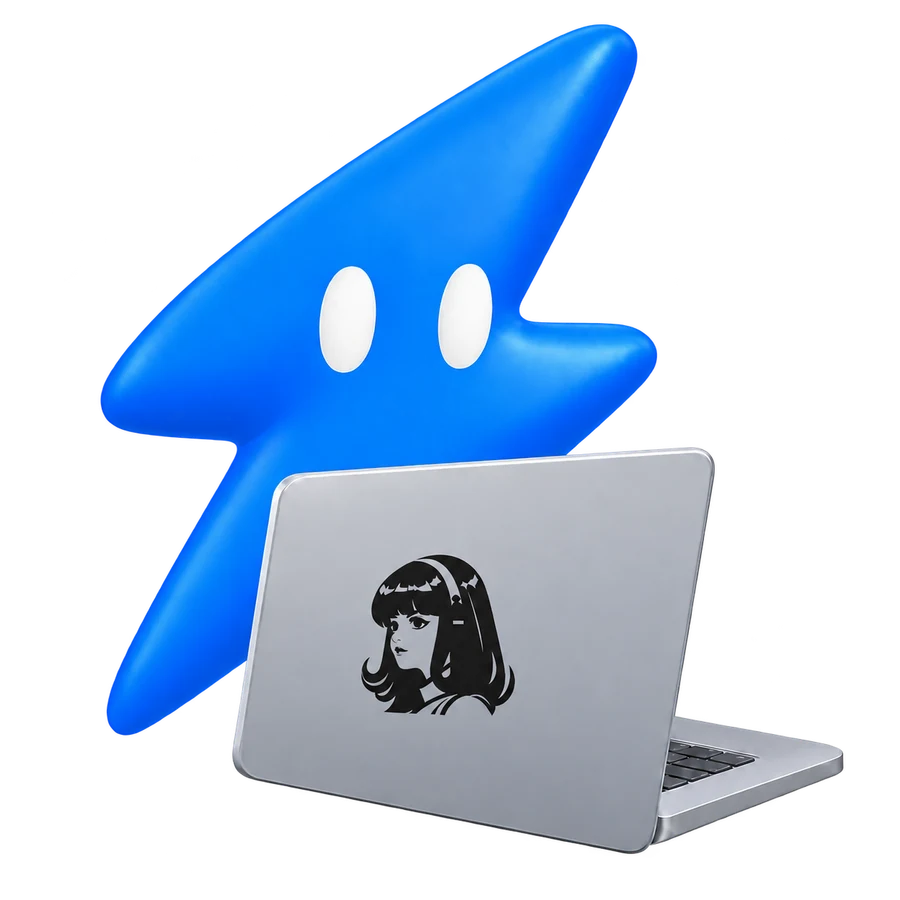
KADS lightning-bolt mascot using a laptop with the Hermes logo on its lid, surrounded by advertising platforms
Meta
Google Ads
TikTok
Snapchat
Pinterest
LinkedIn
Reddit
Amazon Ads
X
ChatGPT Ads
Hermes + KADS

Connect Hermes to KADS

Connect Hermes Agent to KADS through remote MCP or server-side HTTP tools. Use the matching KADS endpoint below.

1ConnectConnection settings

Connect KADS to Hermes

Choose your KADS workspace and connect the accounts you want to use. Open MCP for a server URL, or API access for a REST key.

Your REST connection
# Replace these example values with your KADS address and token.
export KADS_ORIGIN="https://YOUR_KADS_ORIGIN"
export KADS_API_TOKEN="YOUR_KADS_TOKEN"

curl "$KADS_ORIGIN/api/v1/ads/auth/verify" \
  -H "Authorization: Bearer $KADS_API_TOKEN"

curl "$KADS_ORIGIN/api/v1/ads/accounts" \
  -H "Authorization: Bearer $KADS_API_TOKEN"

Replace the example origin and token with your own values. Find the endpoint and authentication options in the MCP connection guide.

Read the connection guide

2AskExample request

Then just ask Hermes

Ask about the accounts you connected. Your agent can compare results, explain a trend, or build a campaign.

Prepare my morning ad brief: yesterday’s spend, the biggest changes from the day before, and the three campaigns I should check first.

I’ll pull yesterday’s reports, compare campaign results, and lead with the largest changes.

via KADSMetaGoogle Ads
List my ad accountsCheck campaign performanceUpdate a campaign
  1. 1

    Connect your ad accounts

    Choose your KADS workspace and connect the accounts you want to use. Open MCP for a server URL, or API access for a REST key.

  2. 2

    Add the KADS connection

    Add your KADS server through remote Streamable HTTP MCP, or connect the REST API through a server-side HTTP tool in Hermes Agent.

  3. 3

    Set up access

    Connect with OAuth or add a KADS bearer token to your client’s credential settings.

  4. 4

    Run your first report

    List your connected accounts and ask for a report, then explore the campaign tools.

Connect Hermes once. Reach 12 ad platforms.

KADS handles the separate advertising APIs. Your agent gets one way to find accounts, pull reports, and prepare campaign changes.

Hermes
KADSONE API · REST + MCP
MetaGoogle AdsTikTokSnapchatPinterestLinkedInRedditAmazon AdsX

Add another ad platform without building another agent integration.

What changes when Hermes has your ad data?

Move past generic advertising advice. Work with the campaigns, budgets, and results in your own accounts.

WorkflowIndividual integrationsWith KADS
Daily preparationDownload and combine campaign reportsRead the accounts when the brief runs
Account selectionMaintain lists of copied campaign IDsDiscover accounts and campaigns through KADS
Next stepsLeave a recommendation in the briefAttach a prepared campaign change

Put Hermes to work on your ads.

Reporting, campaign creation, and account management through one connection.

Fewer dashboards to check

Give your agent one connection to your ad accounts. Ask about a single campaign or compare results across clients and platforms.

Reports without the exports

Pull spend, results, and campaign trends directly from your connected accounts. Get answers without uploading another spreadsheet.

From brief to campaign

Give your agent the goal, budget, and creative. Build the campaign from your brief through KADS.

Campaign updates from one conversation

Adjust budgets, update campaigns, and keep a record of the results across your connected accounts.

Built for each ad platform

Build with the targeting, campaign formats, and creative tools for each ad platform through one connection.

Keep clients organised

Group client accounts in your workspace and give your agent the context it needs for each campaign.

FROM REPORT TO CAMPAIGN

Know where to look before opening a dashboard.

A useful brief gets you to the right account faster. Give Hermes the reports behind it through one KADS connection.

  • A KADS workspace with your ad accounts connected.
  • A client with remote Streamable HTTP MCP or server-side HTTP tools.
  • A KADS workspace credential.
Explore the API
THE KADS WORKFLOW
01  Connect your ad accounts
02  Find campaign tools
03  Pull campaigns and reports
04  Build a campaign
05  Update budgets and creatives
06  View the results
01

Pull the latest report

Read the connected accounts and campaigns for the dates your brief needs.

02

Make it worth reading

Put the largest changes first, with the figures that explain why each campaign made the list.

03

Follow up on a finding

Ask for a closer look or use KADS to adjust the campaign.

What will you ask Hermes first?

Start with a question you already spend time answering each week.

Find what needs attention

“Compare my Meta and Google Ads campaigns over the last 7 days. Flag rising acquisition costs and explain what changed.”

Build your next campaign

“Build a campaign for our new product using our launch brief, budget, and creative.”

Update a campaign budget

“Find my strongest campaigns and adjust their budgets based on their results.”

Build a client-ready report

“Summarise the last month across my connected accounts. Break out spend and results by platform, with next steps for each account.”

Your ads run everywhere. Your agent connects here.

Connect the platforms you use today and add more as you grow.

Meta
Google Ads
TikTok
Snapchat
Pinterest
LinkedIn
Reddit
Amazon Ads
X
ChatGPT Ads
Apple Ads
Outbrain

Use more than one agent?

Keep your ad accounts in KADS and connect another tool whenever you need it.

Questions about Hermes + KADS

Can Hermes Agent run a recurring campaign brief?

Set a recurring schedule in Hermes and connect KADS through MCP or HTTP for reports. KADS supplies the account data each time the task runs.

Which ad platforms can I connect?

Meta, Google Ads, TikTok, Snapchat, Pinterest, LinkedIn, Reddit, Amazon Ads, X, ChatGPT Ads, Apple Ads, and Outbrain.

Can the agent change my campaigns?

Yes. Your agent can build campaigns, update budgets, and manage targeting and creatives through the KADS campaign tools.

Can I connect more than one agent?

Yes. Connect multiple agents to the same KADS workspace. They can work with your connected accounts, reports and campaign tools through REST or MCP.